Connect a Warehouse
Experimentation is in beta on Enterprise plans. Get in touch to join.
Experiment data (exposures and conversion events) is stored and queried in a data warehouse. Each environment has one warehouse connection, and it must be in place before you can create experiments.
Connect the Flagsmith warehouse
The Flagsmith warehouse is managed and hosted by Flagsmith. There is nothing to provision or configure.
- Go to Environment Settings > Warehouse.
- Select Flagsmith and click Enable, then confirm.
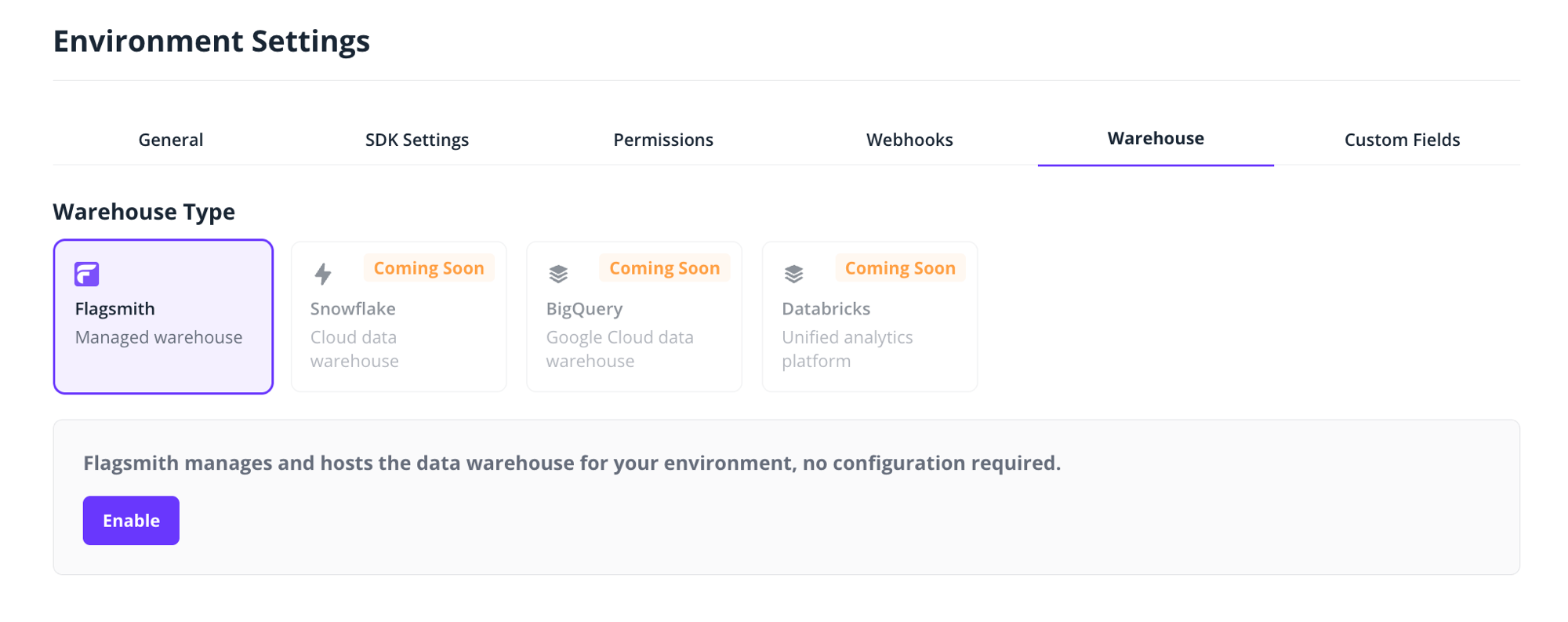
The connection is created immediately. To verify that events can flow, click Send your first event and Flagsmith sends a test event on your behalf. The connection shows Pending Connection while it waits for the first event, and switches to Connected as soon as the environment's first event arrives; an event sent from your own application counts too, not just the test event. Processing the first event can take up to a few hours, and the status refreshes about once a minute while you keep the Warehouse tab open.
Once connected, the warehouse card shows the total number of events received and the number of unique event names, which is useful for checking that your instrumentation is arriving.
Connection statuses
The current status is shown on the warehouse card in Environment Settings > Warehouse.
- Created: the connection exists but no events have been received yet.
- Pending Connection: waiting for the first event to arrive.
- Connected: events have been received; you are ready to run experiments.
- Errored: something went wrong; contact support.
Coming soon
Bring your own warehouse: connections for Snowflake, BigQuery and Databricks, so experiment results are computed directly in your own data platform.